A home generates a lot of information before anyone gets the keys. Plans, specifications, product selections, change orders, installation details, warranties, and maintenance instructions all contribute to the home's story. But once construction wraps, much of that information gets scattered across folders, emails, and filing cabinets.
A digital twin in construction changes how builders capture, organize, and share that information. Instead of treating project documentation as something to archive at the end of a job, builders can turn it into a connected digital record of the home that stays useful long after move-in.
For homebuilders, that's an opportunity to improve more than the handoff. It's a better way to manage project information, support homeowners, and build stronger relationships beyond the final walk-through.

What Is a Digital Twin in Construction?
A digital twin in construction is a digital representation of a physical building that connects information about its design, components, and history. Depending on the technology, it can include 3D models, project documents, specifications, sensor data, and real-time updates that reflect what's happening in the physical building.
For residential construction, a digital twin of a home can bring together floor plans, selections, product information, warranties, manuals, and other project records in one organized place. It gives builders and homeowners a clearer picture of what went into the home, where things are located, and how to find important information when they need it.
Think of it as a digital record that goes beyond the original plans. It reflects the home that was actually built, not just the home that was originally designed.
The concept is gaining attention across the construction industry because project information becomes more valuable when it's connected and accessible throughout a building's lifecycle.

Digital Twin vs. 3D Model: What's the Difference?
A 3D model shows what a home looks like. A digital twin adds information that helps people understand the home and its individual components.
A traditional 3D rendering might show the layout of a kitchen, the location of a bathroom, or the home's exterior. It's useful for visualization, design reviews, and communicating ideas before construction begins.
A digital twin takes that representation further by connecting it to the information behind the finished home.
For example, imagine a homeowner needs to replace a kitchen faucet. A 3D model might help them identify where the kitchen is, but it won't necessarily tell them which faucet was installed, where to find its manual, or whether the product is still under warranty.
A connected digital home record can bring those details together.
The distinction matters:
- 3D model: Shows the home's design, layout, and appearance.
- Digital twin: Connects the home's digital representation with relevant project and product information.
- Traditional home binder: Stores documents and manuals, usually without much organization or connection to the physical home.
- Digital home record: Organizes those documents and details in an accessible, searchable format.
The most advanced digital twins may also use sensors and real-time data to monitor building conditions and performance. But builders don't need a fully sensor-connected building to start creating a more useful digital record of every home.
The first step is making sure the information your team already creates doesn't get lost.
How Does a Digital Twin Work in Residential Construction?
A useful digital twin starts with information collected throughout the building process. Plans, specifications, selections, product details, approvals, and construction updates all contribute to a more complete picture of the finished home.
The goal is to keep that information connected as the project moves from pre-construction to homeowner handoff and beyond.
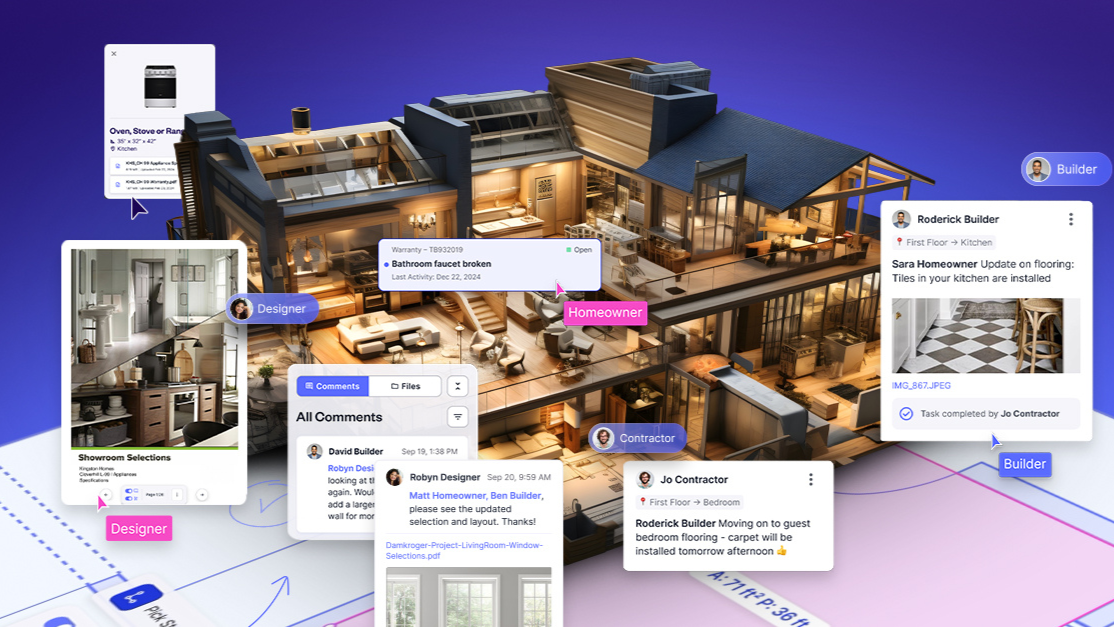
1. Pre-Construction: Build the Foundation
The information that goes into a home starts accumulating long before the first day on the jobsite.
During pre-construction, builders work through architectural plans, engineering documents, specifications, material selections, and client approvals. Each decision adds another piece to the home's record.
When those details are stored in disconnected systems, it becomes harder to track decisions and confirm that everyone is working from the right information.
A centralized workspace gives your team a better starting point. Plans, specifications, selections, and approvals can stay organized and accessible as the project develops.
That foundation makes it easier to connect the original design to the home that's eventually built.
2. During Construction: Keep Project Information Connected
Plans change. Products get substituted. Homeowners make selections, and field conditions sometimes require adjustments.
If those updates only live in email threads or individual team members' notes, the original project record quickly becomes outdated.
A digital twin gives builders a way to connect those changes to the broader record of the home. Updated documents, product details, and project decisions can be organized alongside the information that was already collected.
For example, if a homeowner approves a different flooring material midway through construction, your team should be able to find the updated selection without digging through old emails.
The same applies to appliance substitutions, plumbing fixtures, lighting packages, and other decisions that affect the finished home.
The more complete the project record becomes, the easier it is for everyone to stay aligned.
3. Homeowner Handoff: Give Clients the Full Picture
The final walk-through shouldn't be the first time homeowners receive information about how to care for their home.
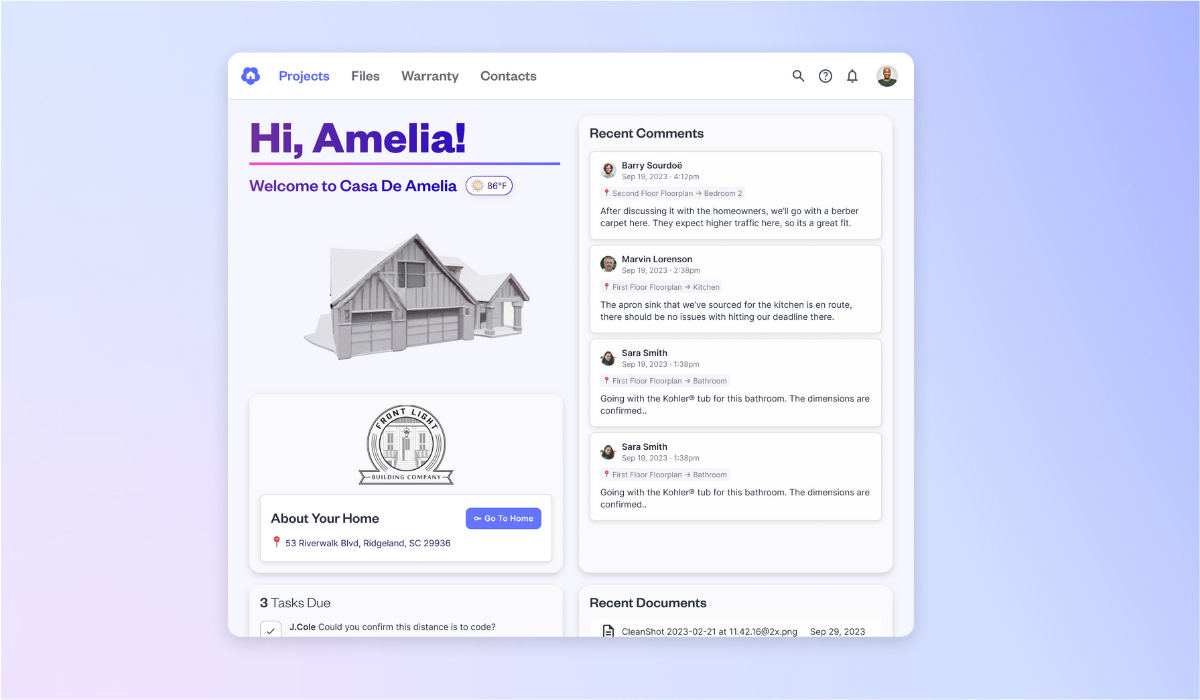
By move-in day, your team has already collected valuable details about the products, materials, systems, and finishes inside the house. A digital twin brings that information together so homeowners can access it after the project is complete.
Instead of handing over a thick binder filled with loose manuals and paperwork, builders can provide a digital home record that organizes information in a way homeowners can actually use.
That might include:
- Floor plans and room information.
- Appliance and equipment details.
- Product selections and specifications.
- Manufacturer manuals and installation instructions.
- Warranty documentation.
- Approved project changes and final documents.
Homeowners get a better understanding of their home from day one. Your team spends less time tracking down documents and answering questions that have already been covered during construction.
4. After Move-In: Make Warranty and Homeowner Support Easier
The builder relationship doesn't have to end when the keys change hands.
Homeowners will eventually need to replace a filter, troubleshoot an appliance, find a product manual, or submit a warranty request. Without an organized record of the home, those questions often send them straight back to the builder.
A digital twin gives homeowners a central place to find relevant information. It also gives warranty teams more context when an issue comes in.
For example, if a homeowner reports a plumbing issue, your team can reference the home's documentation, product information, and relevant floor plan details instead of starting the investigation from scratch.
That means fewer back-and-forth messages, better-informed service decisions, and a more organized warranty process.
It also gives builders another opportunity to stay connected with homeowners long after move-in.

Why Should Homebuilders Care About Digital Twins?
A digital twin in construction isn't just a technology investment. It's a way to get more value from the information your team already creates.
For builders, the benefits extend across daily operations, homeowner satisfaction, and long-term business performance.
Reduce Time Spent Searching for Information
Your team shouldn't have to search through multiple folders, email chains, and spreadsheets to find one product specification.
Centralized project information makes it easier to locate documents, confirm decisions, and get answers without interrupting another team member.
That saves time across departments, from purchasing and project management to warranty and customer service.
Improve Accuracy and Reduce Rework
Miscommunication is expensive.
When a trade partner works from an outdated plan or a team member misses an approved selection change, the result can be unnecessary rework, wasted materials, and frustrated homeowners.
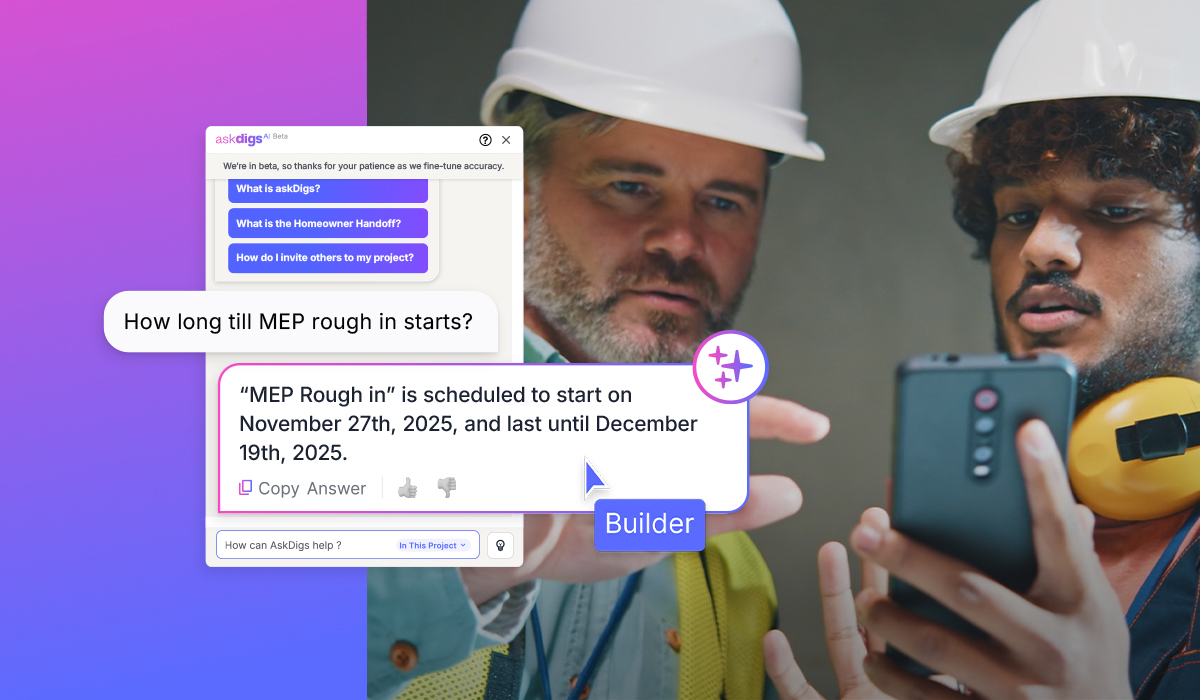
Keeping project information connected helps everyone reference the same approved details. It gives teams better visibility into decisions and makes it easier to catch discrepancies before they become bigger problems.
Deliver a Better Homeowner Experience
Homeowners want to understand what they're buying and know how to take care of it.
A complete digital record makes that easier. Instead of sorting through paperwork or calling the builder for every product question, homeowners have a resource they can return to whenever they need it.
That added visibility builds confidence and gives clients a better ownership experience.
Strengthen Warranty and Aftercare Operations
Warranty teams need context to resolve issues efficiently.
When product information, installation details, photos, and warranty documentation are easy to access, your team can spend less time gathering information and more time resolving the issue.
It also helps homeowners submit clearer requests, reducing unnecessary follow-up and making the process easier for everyone involved.
How Digs Helps Builders Create a Digital Twin of Every Home
Creating a digital twin doesn't have to mean adding another complicated process to your team's workload.
Digs helps builders turn the information they already collect during construction into a structured, searchable digital record of the home.
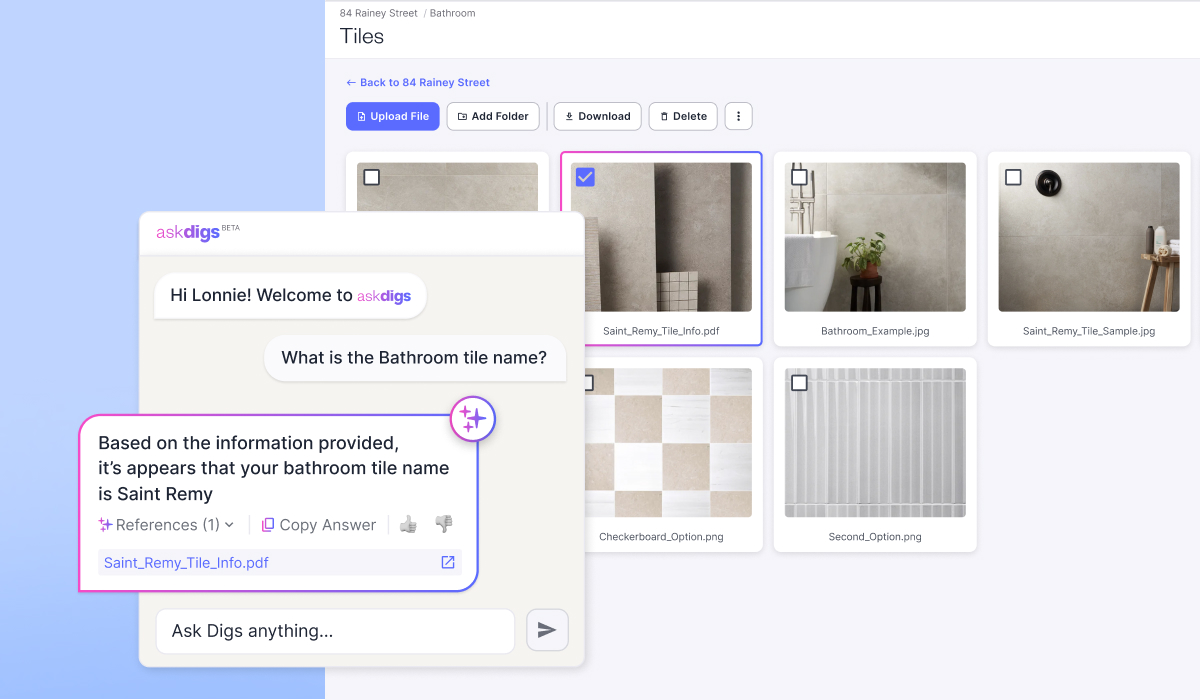
Its AI-powered platform connects plans, specifications, selections, and project documentation in one centralized workspace. Digs' patented technology can transform standard PDFs and construction documents into a 3D digital twin, organizing information so it's easier to find and understand.
Here's how that supports the homebuilding lifecycle:
During the build: Digs helps teams organize project files, collaborate on plans, track decisions, and keep important information accessible. AskDigs AI makes it easier to find answers across project documents without manually searching through folders.
At homeowner handoff: DigsCare gives builders a way to deliver a complete digital twin of the home, including organized selections, manuals, and other important project information. Homeowners can access the information they need without relying on a physical binder.
After move-in: The Digs homeowner portal gives clients access to AI-powered answers about their home, product information, and warranty resources. Builders can also manage warranty requests with photos, comments, and floor plan locations tied directly to the issue.
The result is a connected record that serves both sides of the homebuilding relationship.
Your team has better access to project information. Homeowners have a better understanding of their home. And the information collected during construction continues to provide value long after the final walk-through.
Frequently Asked Questions About Digital Twins in Construction
What is a digital twin of a home?
A digital twin of a home is a digital representation of a physical house connected to information about its design, materials, products, systems, and construction history. It gives builders and homeowners an organized way to access important details about the property throughout its lifecycle.
Is a digital twin the same as a 3D house model?
No. A 3D house model primarily shows the home's design and layout. A digital twin connects that representation to useful information, such as product selections, specifications, manuals, warranties, and project documentation.
How do builders use digital twins?
Builders use digital twins to organize project information, improve team coordination, document construction decisions, simplify homeowner handoff, and support warranty operations. More advanced applications can also use connected sensors and real-time building data.
Do homeowners benefit from a digital twin?
Yes. Homeowners can use a digital twin to find product information, access manuals, understand their home's features, and locate warranty documentation. It gives them a reliable resource for maintaining their home and managing issues after move-in.
How can builders create a digital twin of a home?
Builders can start by centralizing the information they already collect, including plans, specifications, selections, product details, and project documents. Platforms like Digs use AI to organize construction information and turn standard PDFs and documents into a structured 3D digital twin.
The Future of Homebuilding Starts With Better Information
Every home has a story. The plans that shaped it, the products that went into it, the decisions made along the way, and the details that will matter to the people living there.
A digital twin in construction gives builders a better way to capture that story and keep it useful.
When project information stays connected from pre-construction through homeowner handoff and warranty, your team spends less time searching for answers and more time building great homes.
It's a better way to work during construction and a better experience for homeowners long after the build is complete.
Digs is an AI-powered collaboration software built for homebuilders. From pre-con to aftercare, it keeps your team, trades, and clients aligned with one centralized workspace for decisions, documentation, digital handoff, and ongoing warranty support.
Unlock a happier home at Digs.com