A successful home build depends on more than good plans and skilled trades. It depends on getting the right information to the right people at the right time.
Superintendents need to know what's happening in the field. Trade partners need accurate plans and specifications to complete their work. Project managers need to keep everyone aligned as selections, details, and schedules change.
But when project information is scattered across emails, text messages, printed plans, and shared folders, finding answers can slow everyone down.
Construction QR codes offer a simple way to bridge that gap.
By connecting the physical jobsite to digital project information, builders can give field teams and trade partners quick access to the documents and details they need to keep work moving. Instead of tracking down a file or waiting for someone to send it, team members can scan a code and get straight to the information.
What Are Construction QR Codes?
Construction QR codes are scannable codes that link to digital files, folders, or other project resources. Using a smartphone, someone on the jobsite can scan a code to access the information associated with a specific project, document, or area of the home.
For home builders, QR codes can provide access to:
- Construction plans and drawings
- Specifications and finish selections
- Product details and installation instructions
- Updated project documents
- Trade-specific information
- Change orders and approved revisions
- Homeowner documentation and warranty resources
Rather than relying on printed copies or asking another team member to send a file, builders can create a direct connection between the work happening in the field and the information supporting it.
The goal is simple: make project information easier to find and use for everyone involved in the build.
Why Builders Are Using QR Codes in Construction
1. Give Trade Partners Faster Access to Project Information
Trade partners need accurate information to complete their work. Electricians may need to reference plans, cabinet installers need the correct dimensions and selections, and plumbers need to understand the requirements for a particular space.
When that information lives in different places, even a straightforward question can lead to phone calls, messages, and delays.
Construction QR codes give trade partners a direct way to access relevant project files from the jobsite. Builders can share documents through a scannable link, helping subcontractors find what they need without relying on someone else to track it down.
This is especially useful when multiple trades are working on the same home and need to coordinate around the same plans, specifications, and selections.
2. Keep Field Teams and Office Teams Connected
Homebuilding involves constant coordination between the office and the field. Project managers, designers, sales teams, and superintendents all contribute information that affects the work happening on-site.
But when updates don't reach the people who need them, teams can end up working from different information.
QR codes help connect those teams by making digital project information accessible where the work happens.
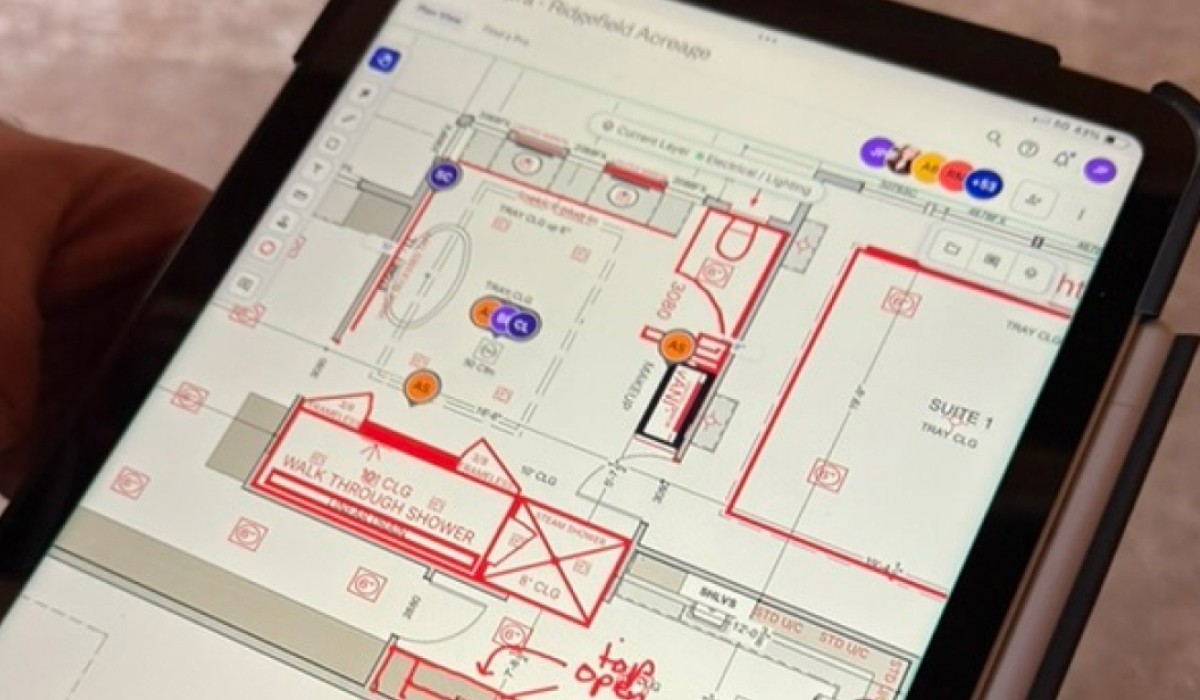
For example, a superintendent can scan a code to reference a specification sheet, review a selection, or pull up a project document while walking the home. That makes it easier to confirm details in the field without returning to the office or searching through old conversations.
When teams have a shared place to access project information, it's easier to stay coordinated across every stage of construction.
3. Make Plans and Specifications Easier to Access
Printed plans and specification sheets are familiar tools on a jobsite, but keeping physical documents current can be challenging as a project evolves.
A revised selection, updated drawing, or change to a product specification can affect several people. If everyone isn't working from the same information, the risk of confusion increases.
With construction QR codes, builders can connect team members to digital plans and documents from their phones.
When QR codes link to shared files or folders, builders can update the information in the connected location without needing to redistribute a new printed copy every time a document changes. Teams can return to the same link to access the latest available files.
This makes it easier to keep project details accessible as work progresses.
Builders should still establish clear document revision and approval processes so trades know which plans and changes are approved for construction.
4. Reduce Unnecessary Calls, Messages, and Follow-Ups
A quick question can create a surprisingly long chain of communication.
A trade partner needs a selection detail. The superintendent contacts the office. Someone searches for the document, confirms the answer, and sends it back. Meanwhile, the person waiting for that information may be unable to move forward.
QR codes can help eliminate some of that back-and-forth by making frequently needed information easier to access independently.
Instead of repeatedly asking where a document lives, team members have a direct route to the relevant files.
QR codes won't replace the conversations needed to resolve problems or coordinate complex work. They can, however, reduce the time spent locating information and help teams focus their communication on decisions that actually need attention.
5. Help Different Trades Work From a Shared Source of Information
A home is built by many people working across different schedules, responsibilities, and areas of expertise. The more connected those people are to the right project information, the easier it becomes to coordinate their work.
QR codes can give multiple trades access to the same shared project resources, reducing reliance on isolated files and individual message threads.
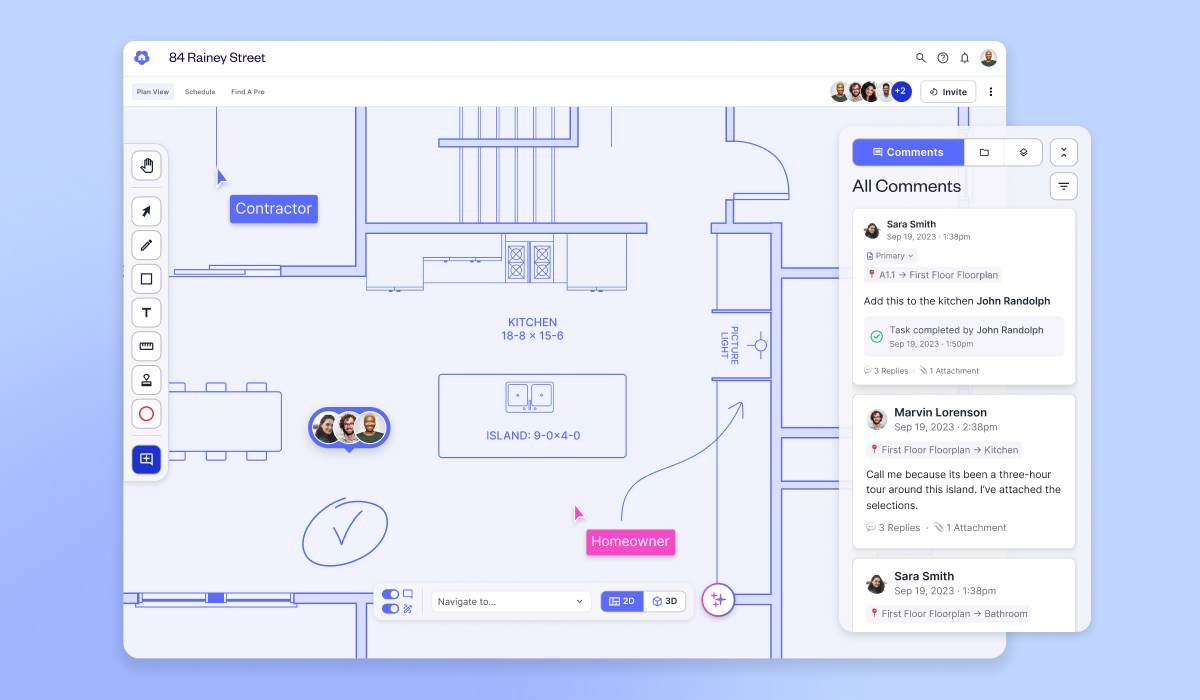
For example, a builder could use a QR code to share a folder containing relevant plans, specifications, and product details for a particular home. Authorized team members could scan the code when they need to reference that information.
This creates a more consistent way to share project documents across the field, office, and trade network.
The key is connecting QR codes to an organized, maintained source of information rather than simply creating more links for teams to manage.
How Builders Can Use QR Codes on the Jobsite
Construction QR codes can support coordination throughout the building process. Here are a few practical examples.
Plans and Specifications
Give field teams and trade partners quick access to the plans, specifications, and selections they need to complete their work.
Product and Installation Details
Connect trades to product documentation, installation instructions, and relevant specifications when they need to verify details on-site.
Room-by-Room Information
Organize project information around specific spaces in the home. A QR code placed near a room or work area can direct authorized users to relevant selections, drawings, or specifications for that location.
For example, a trade partner working in a kitchen could access the information needed to reference cabinetry, finishes, or other approved selections without searching through unrelated project files.
Shared Project Folders
Create a single link to a collection of project documents instead of distributing individual files across multiple emails or messages.
This can be especially helpful when several team members or trades need access to the same set of resources.
Homeowner Handoff
QR codes can also support the transition from construction to homeownership. Builders can provide access to home documentation, product information, maintenance resources, and warranty details, helping homeowners find answers long after the build is complete.
What to Look for in Construction QR Code Software
Not all QR code solutions are designed for the realities of homebuilding. Builders should consider how codes fit into their existing project documentation and communication processes.
Look for a solution that offers:
- Easy mobile access: Team members should be able to scan a code and find relevant information without unnecessary steps.
- Shared file and folder links: One link should be able to connect users to a useful collection of project documents when needed.
- Simple updates: Teams should be able to maintain the information behind a link as project documents change.
- Branded QR codes: The ability to add a company logo helps builders create a more professional, recognizable experience for trade partners and homeowners.
- Appropriate access controls: Builders should understand who can view shared information and whether a link requires authentication.
- A consistent source of truth: QR codes should connect to organized project information, not create another disconnected storage location.
The best solution is one that fits into the way builders already work and makes it easier for everyone to find reliable information.
.png)
How Digs Helps Connect Builders and Trades With QR Codes
Digs helps home builders organize project information and make it accessible to the people who need it, from pre-construction through homeowner handoff.
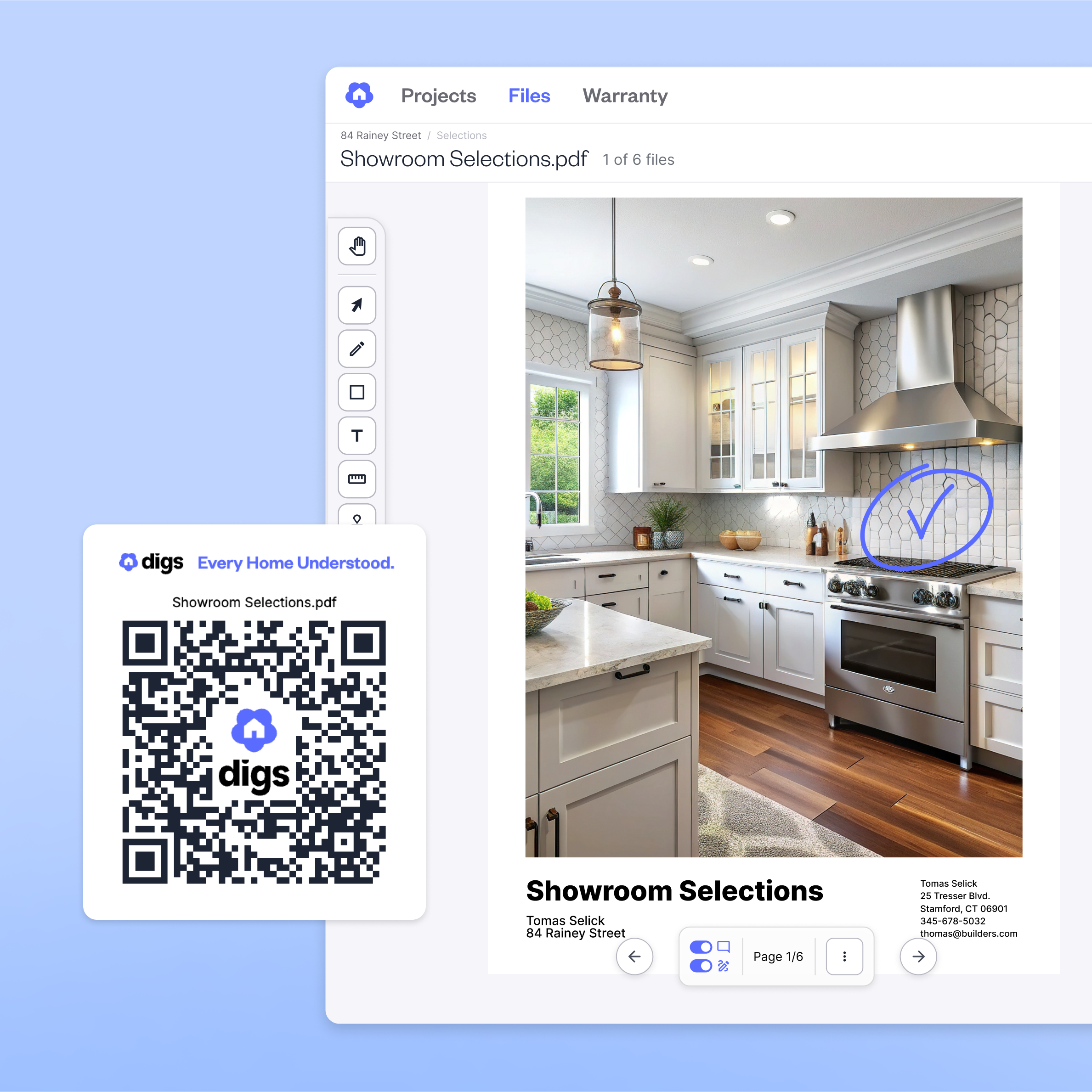
With Digs' Public File & Folder Sharing, builders can create a shareable link and QR code for a file or folder. Team members and trade partners can scan the code to access shared project information without needing a Digs login.
Builders can now also customize their Digs QR codes with their company logo. This gives builders a simple way to incorporate their branding into the tools they use on the jobsite, whether they're sharing project documents with trade partners or providing resources to homeowners.
For example, a builder can share a folder of plans and specifications with trade partners, making those resources easier to access while work is underway. When the shared files are updated, the existing link can continue to direct users to the shared location, reducing the need to redistribute links for every revision.
By combining easy document access with branded QR codes, Digs helps builders create a more connected, professional experience while keeping project information within reach.
The result is a more connected jobsite, with less time spent searching for information and more time spent moving the project forward.
Find out how to add your logo to your Digs QR code here.
Digs is an AI-powered collaboration software built for homebuilders. From pre-con to aftercare, it keeps your team, trades, and clients aligned with one centralized workspace for decisions, documentation, digital handoff, and ongoing warranty support.
Unlock a happier home at Digs.com

Digs is an AI-powered collaboration software built for homebuilders. From pre-con to aftercare, it keeps your team, trades, and clients aligned with one centralized workspace for decisions, documentation, digital handoff, and ongoing warranty support.
Unlock a happier home at Digs.com
Frequently Asked Questions
How are QR codes used in construction?
Construction QR codes link physical jobsite locations or materials to digital information, such as plans, specifications, installation instructions, and project documents. Builders use them to make information easier for field teams and trade partners to access.
How do QR codes improve communication between builders and subcontractors?
QR codes provide a direct link to shared project information, reducing the need for repeated calls, messages, and requests for documents. They help subcontractors find relevant information independently while keeping communication open for questions and decisions that require coordination.
Can construction QR codes link to updated plans?
Yes. When a QR code links to a shared file or folder, the builder can update the content in that location while keeping the same link available. Teams should still verify that they are using the latest approved plans and revisions before beginning work.
Do trade partners need an account to scan a construction QR code?
That depends on the platform and its sharing settings. Some QR codes lead to resources that require a login, while others link to publicly accessible files or folders. Builders should confirm access requirements before sharing project information.
Can builders use QR codes for individual rooms in a home?
Yes. Builders can place QR codes near specific rooms or work areas and link them to relevant plans, selections, specifications, or product information. This can help trades find the details they need without sorting through unrelated project documents.
Can QR codes help homeowners after move-in?
Yes. Builders can use QR codes to connect homeowners with digital home documentation, product information, maintenance instructions, and warranty resources. This makes it easier for homeowners to find information about their home after construction is complete.